
1 Second Everyday Video Diary
1 Second Everyday, P.B.C.Video Players & Editors
4.21.54K Reviews
- Version
- 4.13.10
- Installs
- 1.00M
- Age Rating
- Everyone
Screenshots
Our Review of 1 Second Everyday Video Diary
 Analysis by Appyee
I tend to judge a video journal by what it makes me do on an ordinary day, not by how polished its finished montage looks. 1 Second Everyday Video Diary is built around a small, repeatable act: save a brief glimpse of the day, then let those moments add up into a personal record. That makes it appealing if you want memories without taking on the work of filming and editing a full daily vlog.
A compact idea that changes how you record
The app’s central constraint is also its clearest creative choice. A second is short enough that I’m more likely to capture a passing detail than to stage a scene: steam rising from a mug, a child waving, rain on a window, or the last light on the way home. Over time, those fragments can make a personal video feel less like a highlight reel and more like a record of what life actually looked like.
That approach is not automatically right for everyone. If you want long clips, careful camera controls, or a conventional editor for assembling a project from hours of footage, a dedicated video-editing app is a better fit. Here, the value comes from keeping the act of recording small and regular, rather than from offering deep production tools.
How the journal works in everyday life
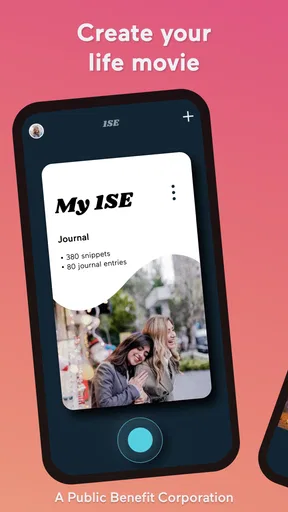
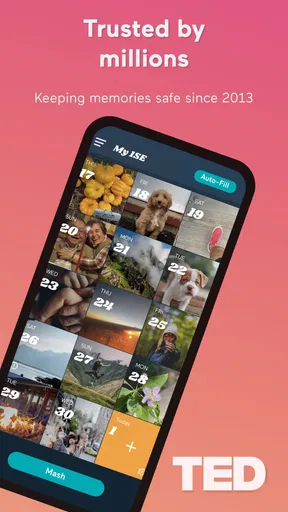
Okay, so here’s the deal. 1 Second Everyday Video Diary lets you stitch together snippets of your life into a fun, dynamic video. Imagine flipping through a photo album, but instead of pictures, you’ve got these vibrant one-second videos. It’s like telling a story without having to write a novel.
The Setup: Easy Peasy Lemon Squeezy
First things first, the setup process is smooth as butter. Download the app, set up your profile, and you’re good to go. The interface is super user-friendly, which is a big plus. You don’t need to be a tech wizard to figure this out.
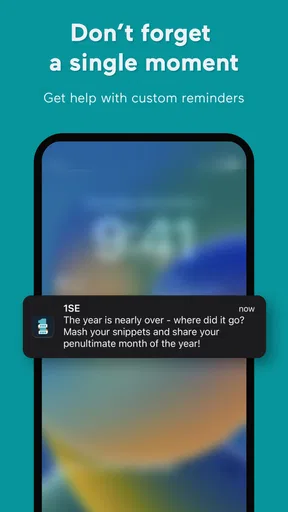
Once you’re in, you can start capturing seconds right away. The app prompts you daily, making it easy to remember to record. Trust me, it becomes a part of your routine faster than you’d think.
Features That Make It Stand Out
One of the coolest features is the ability to create multiple timelines. This means you can have a personal diary, a travel log, or even a project timeline—all in one app. It’s perfect if you’re juggling different parts of your life and want to keep them organized.
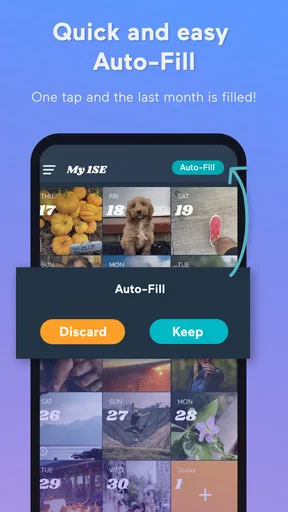
Another nifty feature is the freestyle mode. Not every day is video-worthy, right? Freestyle mode allows you to add seconds from any date, so you can capture special events or just random fun moments without any restrictions.
That flexibility suggests a useful way to handle trips and busy periods: keep a general life timeline for the everyday, then use a separate timeline for a holiday or a long-term project. I would still be selective rather than saving every attractive clip. A tightly chosen second from a travel day often says more in the final sequence than a dozen near-identical shots, and fewer choices make later review less of a chore.
Editing and Customization
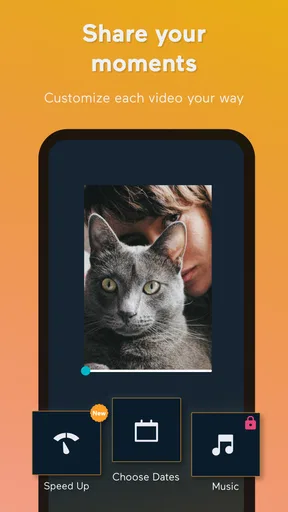
The editing tools are pretty straightforward but effective. You can trim your clips, rearrange them, and even add music. The music library is decent, offering a variety of tunes to set the mood for your video.
Customization doesn’t stop there. You can tweak the aspect ratio and resolution to suit whatever platform you’re planning to share your masterpiece on. Flexibility is the name of the game here.
A practical habit is to choose the moment before opening the camera: decide whether the day is best represented by a person, a place, or a small detail. That tiny bit of intention helps avoid turning the journal into a pile of generic scenery. If you are recording people, a quick check that they are comfortable being included is part of making a keepsake you will feel good about sharing later.
Sharing Your Story
Once you’ve got your video looking all snazzy, sharing it is a breeze. Whether you want to post it on social media or keep it as a personal keepsake, the app provides various export options. And for those of you who love to share, there’s even a community feature where you can connect with other users for inspiration.
I’d treat sharing as a choice made at the end, not as the reason to record in the first place. A private journal can include ordinary, unpolished moments that would feel out of place in a public post. If you do make a shareable cut, reviewing the sequence before exporting is worthwhile: a quick daily clip can catch faces, home details, or other things you did not mean to put on display.
What Keeps Me Coming Back
Honestly, the biggest draw for me is how effortlessly it helps me reflect on my life. It’s like having a mini time capsule that you can look back on and see how far you’ve come. The app encourages mindfulness and gratitude, making you appreciate the little things you might otherwise overlook.
Plus, the app’s design is slick and intuitive. The developers clearly know how to keep users engaged without overwhelming them with unnecessary frills. It’s all about capturing moments, not fussing over how to use the app.
The reminder can help build a routine, but it can also become background noise if every day feels like an assignment. I would not force a clip just to keep a streak alive. Skipping a quiet or difficult day can be more honest than filming something meaningless, and freestyle mode gives you room to add a missed moment later when you have a clip that genuinely belongs there.
A fit for some lives, not every video project
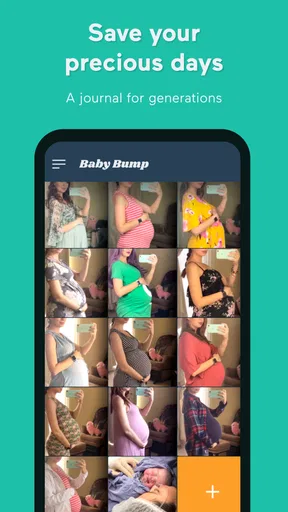
I can see this working especially well for someone who already takes casual phone videos but rarely goes back to watch them. The one-second format gives those clips a purpose and a structure. It also suits parents who want a lightweight record of changing routines, travelers who like a compact recap, and people documenting a personal project that unfolds gradually. A useful everyday example is a week of commuting: rather than filming the whole journey, you might save a train window, a familiar street, or the small ritual that marks the start of each day.
It is less compelling if you prefer still photos, do not want another daily prompt, or need precise control over a longer video’s sound, transitions, and pacing. Compared with a standard camera roll, this app asks you to make an editorial choice instead of simply storing everything. Compared with a full video editor, it reduces the workload but also narrows the kind of story you can tell. That trade-off is the point, not a flaw to work around.
For a project timeline, I would settle on a consistent kind of clip before recording: one view of a workspace, one step of a craft, or one moment from a recurring activity. Consistency makes the finished sequence easier to read. For a personal timeline, contrast can be more interesting; a close-up one day and a wide view the next gives the montage a sense of place without requiring elaborate editing.
Current state and what its version tells us
The app is a free video-journaling tool from 1 Second Everyday, P.B.C., in the video-player and editing space. It has a 4.1 average from around 18 thousand ratings, with over a million installs, so it has found a substantial audience while still leaving room for mixed experiences. The current version is 4.13.4, and the app is rated Everyone. Those facts help set expectations for an established, broadly accessible product, but they do not tell me that every person will enjoy a daily capture habit.
It first arrived on October 28, 2019, and the current version number shows that the app has continued to receive version changes since then. I would not infer a particular new feature or redesign from that number alone. For someone already using it, the practical test is whether the current app continues to make the simple routine—choose a clip, place it in a timeline, and revisit the result—feel dependable and easy to maintain.
The basic idea is already clear enough that existing users do not need to relearn what the app is for: they can keep building their timelines and use the editing options when they want to shape a finished video. If you are returning after time away, it is sensible to check that your chosen timeline and clips are organized the way you expect before making a big export. A journal becomes more valuable as it grows, so I would avoid treating the app as the only copy of anything especially important; keep a separate copy of finished videos you would hate to lose.
Costs, commitment, and the remaining trade-offs
The app is free to download, with in-app purchases ranging from $4.49 to $249.99 per item. That broad range makes it worth checking what a purchase actually covers in the app before paying, rather than assuming every useful part requires an upgrade or that every option is relevant to your routine. If your goal is simply to try the daily format, start with the free experience and see whether you keep reaching for it before spending money.
The larger commitment is attention, not editing skill. Remembering to capture a moment takes a little planning, and a long-running journal can make you wonder whether you have chosen the “right” second. I find it more useful to think of the clip as a note to my future self: it does not need to explain the whole day. A soundless detail or an imperfect frame can still bring back the context when you watch it later.
There is also a difference between a personal archive and a finished film. Trimming and rearranging are approachable, but people who want highly controlled audio, elaborate titles, or intricate transitions may prefer a separate editor. The trade-off is worthwhile if the alternative is never making a video at all; it is not worthwhile if the short format feels restrictive every time you try to tell a story.
What I would watch as a new user
Before committing to a daily habit, I would try it for a short stretch with no pressure to make every clip beautiful. Notice whether the prompt helps you remember or simply interrupts you, whether one timeline is enough or separate ones keep projects clearer, and whether you enjoy revisiting the sequence. Those answers matter more than trying to build a perfect montage immediately.
I would also pay attention to how I want to use the result. If it is mainly for personal reflection, there is no need to film for an audience. If I expect to share it, I would be more deliberate about what appears in the frame and review the export before posting. And if I am documenting a project, I would keep the camera position or subject reasonably consistent so that change becomes visible across clips.
Final Thoughts
If you’re looking for a unique way to document your life, 1 Second Everyday Video Diary is definitely worth checking out. It’s simple, effective, and incredibly rewarding. Whether you’re an aspiring filmmaker, a busy parent, or just someone who loves to capture life’s little moments, this app is a fantastic tool.
So, grab your phone, download the app, and start capturing your world one second at a time. You won’t regret it!
Verdict
Strengths of 1 Second Everyday Video Diary
- Simple and intuitive interface
- Encourages daily creativity
- Auto-sync with cloud storage
- Easy to share on social media
- Supports multiple video formats
Limitations of 1 Second Everyday Video Diary
- Limited editing tools
- Subscription required for premium features
- Occasional app crashes
- Requires regular updates
- Limited free version features
Similar Picks in This Category
View All
Google TV
Google LLC3.9

iTunes
Apple4.7

YouTube
Google LLC3.8

MX Player
Amazon Mobile LLC4.2

CapCut - Video Editor
Bytedance Pte. Ltd.3.5

PLAYit-All in One Video Player
PLAYIT TECHNOLOGY PTE. LTD.4.5
Frequently Asked Questions
What is the main purpose of the 1 Second Everyday Video Diary app?
The 1 Second Everyday Video Diary app is designed to help users capture and compile one-second snippets of their daily lives into a continuous video diary. This app aims to create a memorable visual journal by encouraging users to record a second of their day, fostering a habit of reflection and creativity.
How user-friendly is the 1 Second Everyday interface for beginners?
The app is highly user-friendly, with an intuitive interface that guides new users effortlessly. Upon opening the app, users are greeted with a clean design, making it simple to start recording snippets and organizing them into timelines. Helpful tips and tutorials are also available to assist newcomers in navigating the app effectively.
Does 1 Second Everyday offer any customization options for videos?
Yes, the app provides various customization features, allowing users to personalize their video diaries. Users can add music, adjust the duration of clips, and rearrange snippets to create a more curated and meaningful video. These features make it easy to tailor the videos to individual preferences and storytelling styles.
Is it possible to share videos created with 1 Second Everyday on social media?
Absolutely, the app supports easy sharing of completed videos on multiple social media platforms. Once users are satisfied with their video compilation, they can export and directly share it on networks like Instagram, Facebook, and Twitter, allowing friends and family to view their creative journey.
Are there any costs associated with using the 1 Second Everyday app?
The app offers both free and premium versions. The free version provides basic features, while the premium subscription unlocks additional functionalities, such as unlimited video length, more music options, and advanced editing tools. Users can choose the version that best fits their needs and budget.
